Screenshot
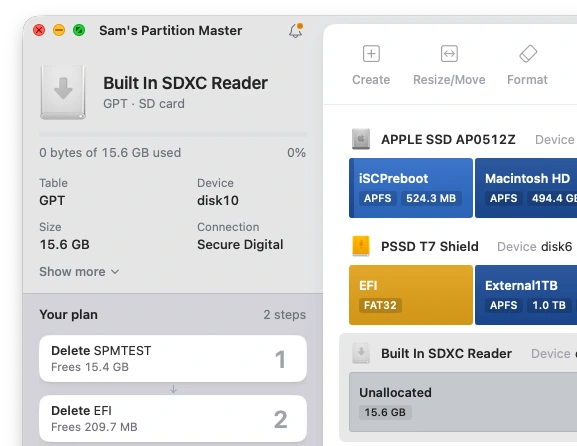
Every change is checked before it runs.
Sam's Safety Check Engine checks your plan in the app, then again in the system helper, before anything is written to a disk.
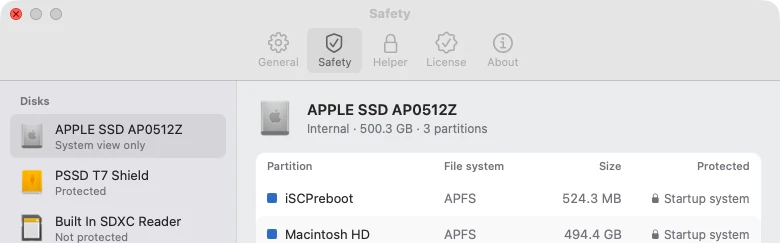
- Your Mac stays view onlyThe startup disk and the running macOS can't be changed. The disk that holds the app is never erased.
- Backups are left aloneTime Machine disks are never changed. Read-only disks and macOS's own disk images are refused.
- Protect any driveOne switch per disk or partition. It follows the drive's hardware ID, so it holds after you replug.
- Same disk, or it stopsBefore a write it checks the hardware ID and layout. If anything changed, it asks you to refresh.
- Dry run firstThe whole plan runs step by step on paper before the first write.
- Touch ID from a real clickAnything that loses data needs Touch ID once at Execute. Scripts and automation can't press it.
- Never mid-useIt waits while apps have files open on the disk, or the battery is below 20%.
- Clean edgesSizes and moves stay on whole-MiB boundaries, inside the disk, never over another partition.
- A record of every writeThe partition table is backed up before each write, and every command goes to the Safety Log.
Plan for free. Pay once to execute.
Download free, see every disk and plan any change. Only Execute needs a license.
Enterprise
$499a year
- Every Mac in the company
- MDM install that pre-approves the helper
- Priority email support
After the first year, a new major version costs 50% for owners.macOS 15 or later · Apple silicon and Intel